Updated October 2026 · 10-minute read
Local SEO for healthcare means showing up on Google Maps when someone nearby searches for the care you give. Then it means turning that click into a booked visit.
Most guides stop at “fill out your Google profile.” This one goes all the way to the booking. Every step is in plain words, with real examples from practices we work with.
TL;DR
Our take: your Google Business Profile matters more than anything else on this list. Get it right first. Then add a Book button that books a real time, and ask every patient for a review.
- About 5,500 people reached out to 135 of our client practices through their Google Business Profile in three months (July to September 2026).
- 3 things decide who shows up on the map: how well you match the search, how close you are, and how well known you are.
- 3 to 6 months is a normal wait to climb the map. Fixing your profile can help in weeks.
What is local SEO for healthcare?
Local SEO is how you show up when people near you search for care. Think “dermatologist near me” or “foot doctor in Howell.”
Those searches show a map with three practices under it. Google calls this the map pack. Most people pick from those three. They call, tap for directions, or book.
Local SEO has two jobs:
- Get into those three spots for the care you offer, in the towns you serve.
- Turn the visit into a patient. A great spot on the map is wasted if the Book button leads to a form nobody answers.
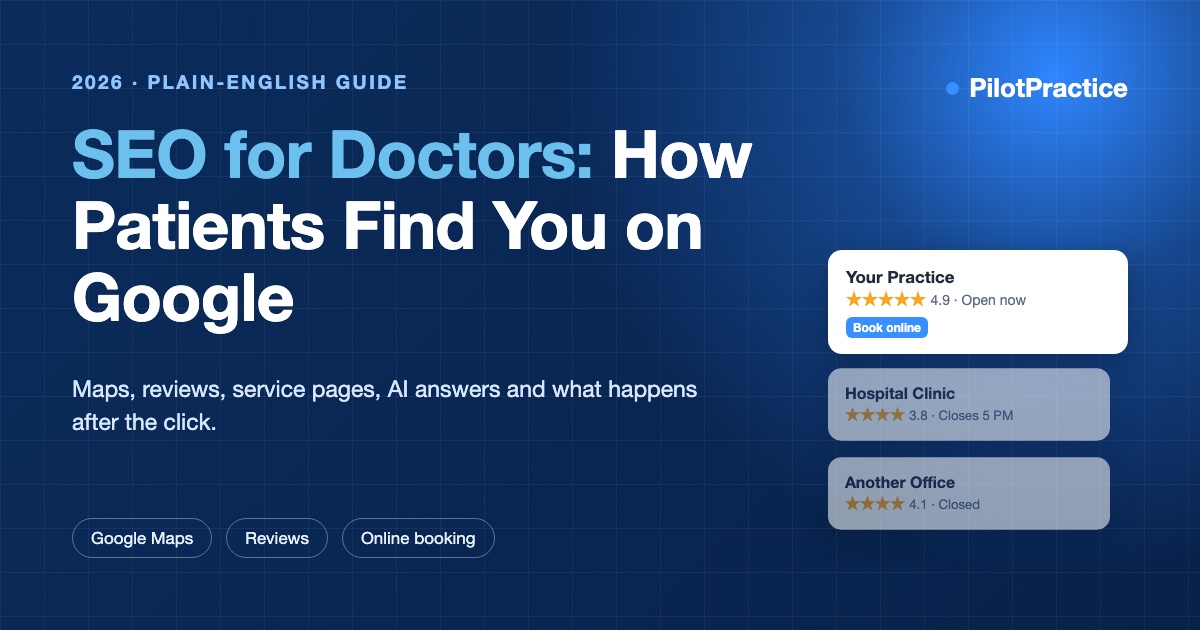
This guide is about the map and your town. For the rest of Google, like ranking your service pages, read our SEO for doctors guide.
How does Google pick who shows up on the map?
Google says it looks at three things:
- Match. Does your profile clearly say you offer what the person searched for?
- Distance. How close is your office to the person searching?
- How well known you are. Reviews, mentions on other sites, and how strong your website is.
You can’t move your office. So you work on the other two. A full, clear profile helps with match. Reviews, listings and local links help with how well known you are.
Your rank also changes from street to street. You might be #1 next to your office and gone two miles away. That’s why we check rank on a grid across your whole area, not from one spot.
Our take: don’t trust a single “we’re #1” screenshot. Ask to see your rank across the map.
How do I set up a Google Business Profile for my practice?
Claim your profile at Google Business Profile and verify it. Then fill in every field. Here is what matters most:
- Main category. Pick the most exact one, like “Podiatrist” or “Dermatologist,” not “Medical clinic.” This is the biggest single choice you make.
- Extra categories. Add the other care you give, like “Skin care clinic.” Only add what you really do.
- Services. List each treatment by the name patients use. “Bunion surgery,” not a medical code.
- Hours. Keep them right, holidays too. Wrong hours lead to angry reviews.
- Photos. Real photos of your front door, waiting room and team. Add new ones every month.
- Description. Say who you help and where, in plain words.
Do this
Use your real business name, exactly as it shows on your sign.
Skip this
Adding words like “Best Dermatologist Dallas” to your name. It can get your listing suspended.
Should each doctor have a Google listing?
Often, yes. Google allows a listing for each doctor who sees patients, as well as one for the practice. People search for doctors by name, and a doctor’s listing collects its own reviews.
Best for
Practices with several doctors who see patients and have their own following.
Watch out
A solo doctor should have one listing for the doctor and the practice together, not two that compete.
Each doctor listing uses the same address and phone as the office. When a doctor leaves, don’t delete the listing. Ask Google to mark it as moved, so old reviews don’t end up on someone else.
What gets a listing hidden or suspended?
Google suspends healthcare listings more than you’d think. Most of the time, it’s for one of these:
- Extra words in the name, like services or towns that aren’t on your sign.
- A fake or shared address, like a P.O. box or a virtual office.
- Two listings for the same office or the same doctor.
- Fake reviews, or reviews from staff and family.
If you’re suspended, don’t make a new listing. Fix the problem, then ask Google to look again. Keep photos of your sign and office handy, since Google often asks for them.
Our take: make sure your practice owns its listing, not an old agency or a past employee.
How do I turn map clicks into booked patients?
Your profile has a spot for an appointment link. Most practices point it at their home page or a “request an appointment” form. That’s where many patients give up.
Point it at a page where patients pick a real open time. The visit should land straight in your practice software, the same as a front-desk booking. No callback and no phone tag.
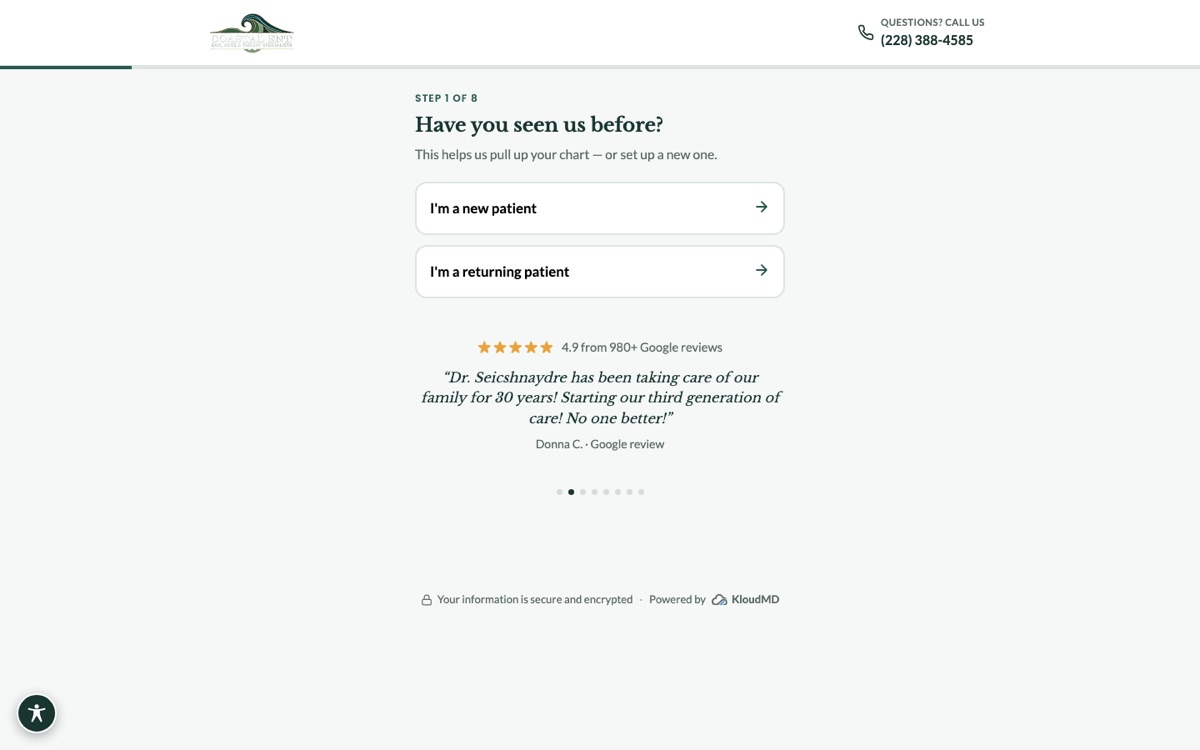
Two more things help:
- Tag the link so you can count how many bookings came from Google Maps.
- Answer calls after hours. Many people search at night. An AI voice assistant can answer and book them while the office is closed.
Do this
Link the Book button to real open times that go straight onto your schedule.
Skip this
A contact form someone has to call back the next day.
Our take: this is the cheapest win in local SEO. You keep the patients the map already sends you.
How do I get more Google reviews for my practice?
Ask every patient, every time. The best way is a short text after the visit with a direct link to your review box. Practices that ask this way get far more reviews than practices that ask only at the front desk.
- Send it the same day, while the visit is fresh.
- Keep it short. One line and a link.
- Aim for a steady flow. A few new reviews each week beat 50 in one month and then nothing.
Do this
Ask all patients the same way, whether you think they’re happy or not.
Skip this
Only asking happy patients, or giving gifts or discounts for reviews. Google doesn’t allow either one.
Don’t write the review for the patient. When patients name the treatment and town in their own words, that helps. Our review and reputation tools send these texts for you after each visit.
How should I answer reviews?
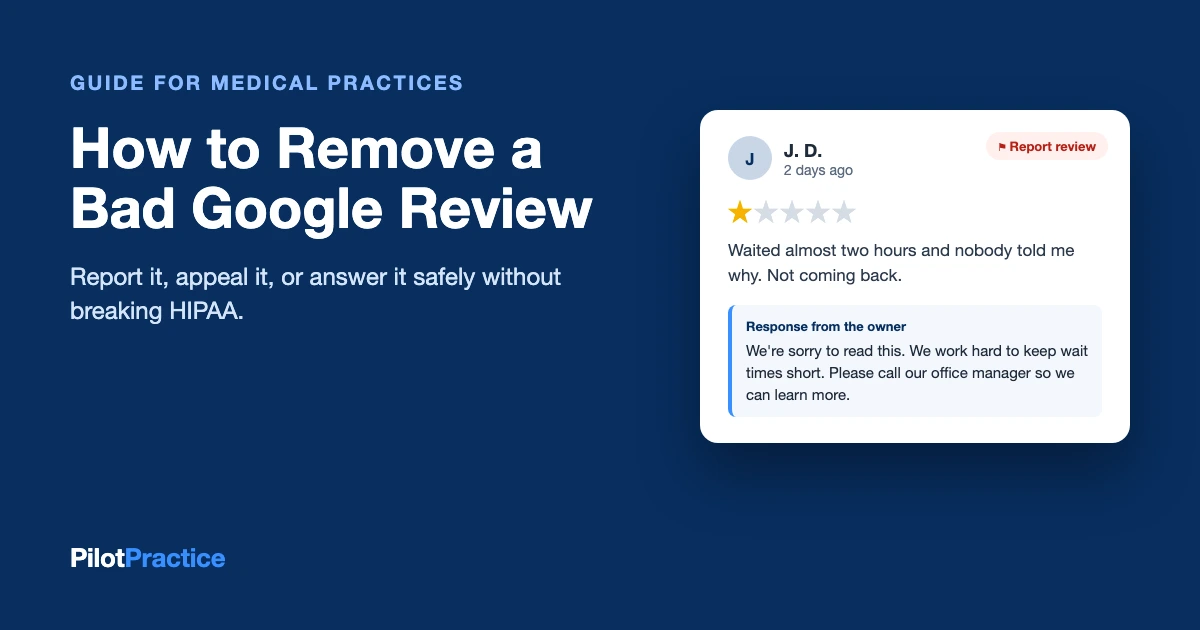
Answer every review, good and bad. But healthcare has one big rule: never confirm that the reviewer is your patient. No names, no visit dates, no treatment details. Even “We’re sorry your knee surgery went that way” says too much.
Do this
“Thank you for sharing this. We take every concern seriously. Please call our office manager at the main number so we can talk.”
Skip this
“We checked your chart and you missed two follow-ups.” This breaks patient privacy rules.
Thank good reviews in a general way. Keep replies short and calm. The reader you’re really talking to is the next patient. For bad reviews, see our guide on how to remove or answer a bad Google review.
What goes on a location page for each office?
Each Google listing should link to its own office page, not your home page. That page tells Google, and patients, what happens at that address.
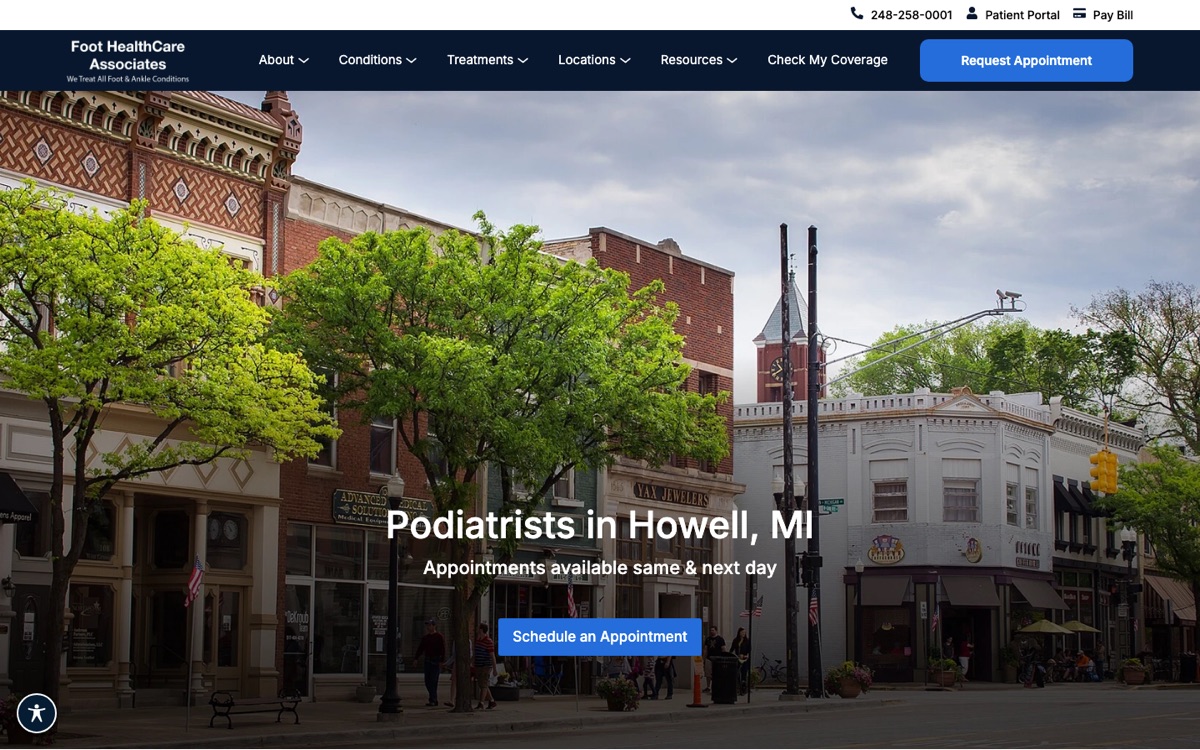
A good office page has:
- The town in the main heading, like “Podiatrists in Howell, MI.”
- The address, phone and hours, exactly the same as on Google.
- A map, parking tips and nearby landmarks.
- The doctors who see patients there.
- Reviews from patients at that office.
- A Book button that opens that office’s schedule.
Do this
Write what is really true about each office: its doctors, its parking, its patients’ reviews.
Skip this
Copying one page and only swapping the town name. Google sees through it.
What changes when you have many offices?
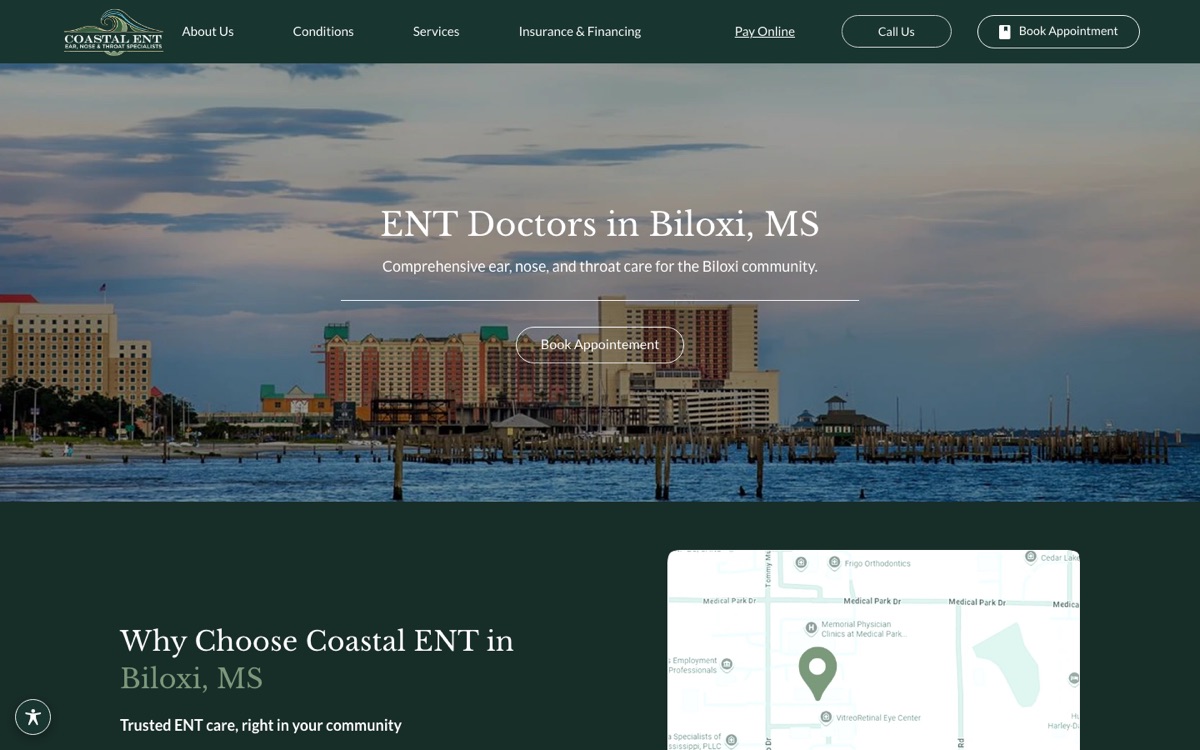
Everything in this guide applies to each office. A practice with 8 offices has 8 profiles, 8 office pages and 8 sets of reviews to look after.
- One listing per real office, each with its own address, phone and hours.
- A “find an office” page that links to every office page.
- Review texts sent from the right office, so each one grows its own reviews.
- A booking page for each office, so the Book button shows only that office’s open times.
Keep every listing under one company account, so nobody loses access when staff change. See our multi-location practice marketing page.
Where else should my practice be listed?
Google checks if your name, address and phone match across the web. When they don’t, Google trusts your listing less, and patients get the wrong number. Make sure you’re listed, with the exact same details, on:
- Maps apps: Apple Maps (through Apple Business Connect) and Bing Places.
- Health sites: Healthgrades, Vitals, WebMD, Zocdoc and your specialty’s own directory.
- General sites: Yelp and Facebook.
- Insurance company directories for each plan you take.
The tricky part is old listings. If you moved or changed your phone number, the old details live on for years. Search your old address and old number, and fix every listing that shows up.
What are hidden labels, and do I need them?
Your website can carry small hidden labels that only search engines read. They tell Google, “This is a medical office. Here is the address, phone, hours and doctors.” The proper name is schema markup. They also help AI tools like ChatGPT get your details right.
Best for
Every practice. It’s a one-time job your web team can do in an afternoon. Test it with Google’s free Rich Results Test.
Watch out
Labels that don’t match what the page says. Google may ignore them all.
How do I get other local sites to link to me?
When local websites link to you, Google sees you as part of the town. Good places to start:
- The hospitals where your doctors operate.
- Your local chamber of commerce.
- Schools, sports teams and races you sponsor.
- Local news. Offer a doctor as an expert on a health topic in the news.
Do this
Earn links from real local groups you already work with.
Skip this
Buying links, or “you link to me, I link to you” swaps. They can hurt more than help.
How do I measure local SEO results?
Track what leads to patients, not only rank. These numbers tell the real story:
| What to check | Where to find it | What good looks like |
|---|---|---|
| Calls, direction taps and website clicks | Your Google Business Profile | Going up month after month |
| Bookings from Google Maps | Your booking page, using the tagged link | A clear count of booked visits |
| New reviews and your star rating | Your Google Business Profile | New reviews every week |
| Your rank across your area | A map grid check | Top 3 near each office |
The last step is the one most agencies skip. Match the bookings to the patients who actually showed up. That’s how you know local SEO paid off.
How long does local SEO take?
Some fixes work in weeks, like the right category, correct hours and a working Book button. Climbing the map usually takes 3 to 6 months. In busy cities, or against big hospital systems, it can take longer. Be careful of anyone who promises the top spot in a month.
Not sure where to start? Here’s the order we use with new clients:
- Fix the Google Business Profile and the Book button.
- Start asking every patient for a review.
- Build or fix the office pages.
- Clean up other listings.
- Add hidden labels and earn local links.
You can do this yourself or hire help. Our SEO service covers all of it, with bookings tracked to real patients. See how we do it for dentists, med spas, plastic surgeons and mental health practices. Local examples: dental marketing in Miami and med spa marketing in Los Angeles.
Local SEO for healthcare FAQs
What is local SEO for doctors?
It’s how doctors show up on Google Maps and in “near me” searches in their own town. It covers your Google Business Profile, reviews, office pages and listings on other sites.
How do I improve my local SEO?
Start with your Google Business Profile: the right main category, every service, correct hours and real photos. Then add a Book button that books a real time, ask every patient for a review, and build a page for each office.
How much does local SEO cost?
It depends on how many offices you have and how busy your area is. Most practices pay an agency a monthly fee. Ask what’s included, how long you’re locked in, and whether the report shows booked patients or only rank.
Is a Google Business Profile worth it?
Yes. It’s free, and it’s what patients see first when they search near them. Across 135 of our client practices, about 5,500 people reached out through Google Business Profile in three months.
Who can have a Google Business Profile?
Any practice that sees patients in person at a real address during set hours. Doctors who see patients can also have their own listing. Online-only practices can’t have a map listing.
How long does local SEO take to work?
Profile fixes can help in a few weeks. Climbing the map usually takes 3 to 6 months, sometimes longer in big cities.
Can I remove a bad Google review?
Only if it breaks Google’s rules, like spam, hate speech or a review from someone who was never a patient. You can flag it from your profile. Otherwise, reply calmly without patient details, and get more good reviews so the bad one matters less.
Want to see where you show up on the map?
We’ll check your Google listing, your rank across your area, and whether your Book button really books. It’s free.
Sources. Google Business Profile guidelines, the top Google results for “local SEO for healthcare” on October 17, 2026, and our own client data from July to September 2026, in totals only. See a mistake? Email [email protected] and we’ll fix it.